3D Building Designer — Skills, Tools, Workflow & Career Growth (2025 Edition)
Learn what a 3D building designer does, how they work, which tools they use, and why this profession is shaping the future of architectural visualization in 2025.

What Is a 3D Building Designer?
A 3D building designer creates high-fidelity digital representations of buildings, both exterior and interior, using 3D modeling and rendering software. These designers sit at the intersection of architecture, visualization, and technology—translating flat 2D blueprints into immersive, photoreal environments.
They collaborate with architects, real-estate developers, engineers, and interior designers to produce realistic renders, virtual walkthroughs, and animations. The outcome? Faster approvals, better marketing visuals, and clearer communication across project teams.
Core Responsibilities of a 3D Building Designer
Modern firms expect designers to combine technical precision with aesthetic judgment. It's not just modeling — it's creating emotional realism that sells a vision.
Key Skills Needed to Become a 3D Building Designer
Professional 3D visualizers combine technical mastery with artistic vision to create compelling architectural visuals.
1. Technical Expertise
2. Artistic Sensibility
3. Architectural Understanding
4. Soft Skills
Tools & Software Ecosystem (2025)
Emerging AI Tools

Career Path & Growth Opportunities
Step-by-Step Career Journey

Industry Demand (2024–2025)
As demand grows, professionals skilled in interior rendering find expanding opportunities across residential and commercial projects.
Salary Trends (Global Snapshot)
Freelancers charge between $25–$70/hour, depending on complexity and photorealism quality.
Workflow — How a 3D Building Designer Works
The design process requires both technical precision and creative vision, similar to creating detailed 3D room models for interior visualization projects.
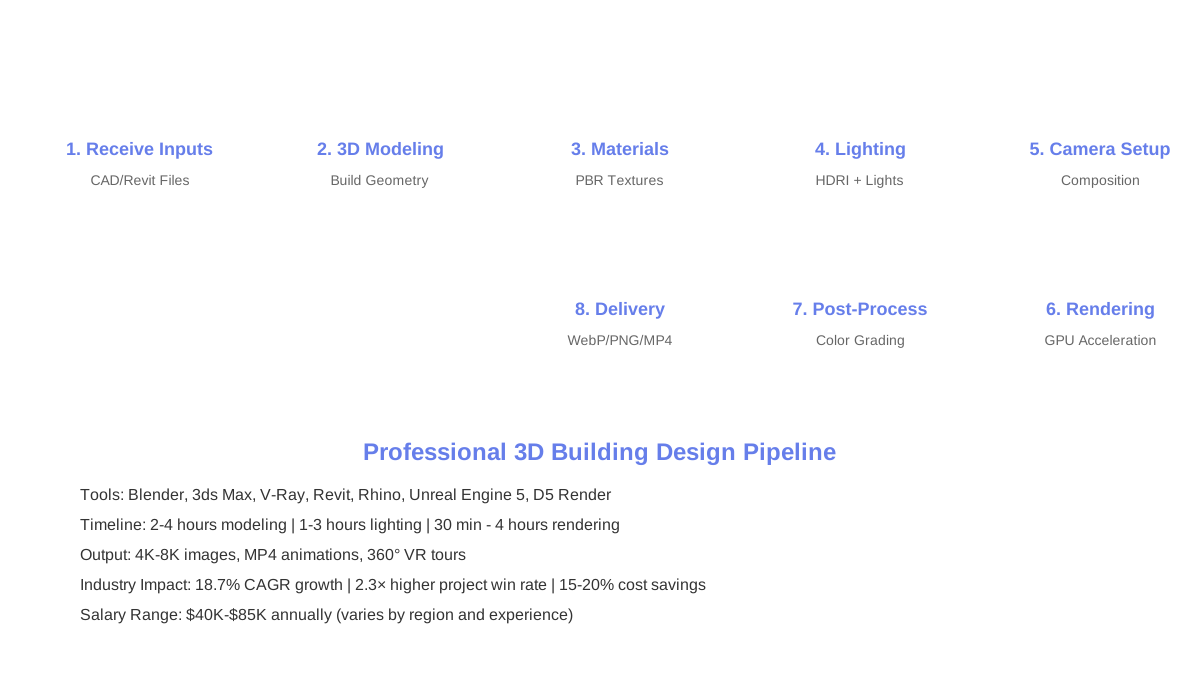
Step-by-Step Rendering Pipeline
This systematic approach mirrors the process used in 3D house rendering, where precision and artistic judgment combine to create market-ready visuals.
Business Impact — Why Firms Invest in 3D Designers
Mastering techniques for realistic room visualization enhances a designer's ability to create emotionally compelling spaces that drive client decisions.